The Ultimate Guide to Purple Gaming Mice: Performance, Style, and Top Picks for 2026
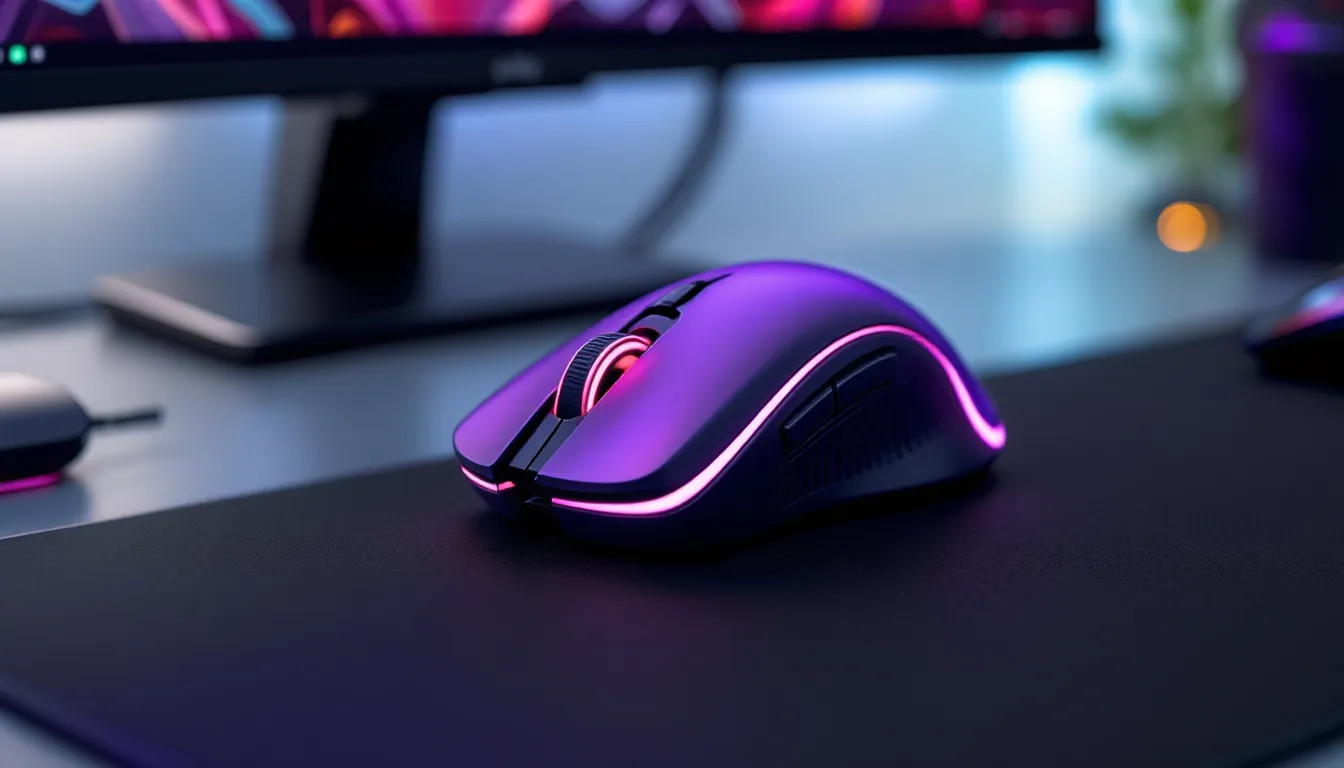
Purple gaming mice have transcended novelty status to become a legitimate choice for gamers who want both performance and personality. Whether you’re chasing that perfect aesthetic for your setup or hunting for a mouse with the specs to match your competitive drive, the purple gaming mouse market has grown far beyond basic color swaps. In 2026, manufacturers are delivering options across every price bracket, from budget-conscious builds to high-end pro-grade peripherals, without sacrificing the core performance metrics that matter: DPI accuracy, polling rate, sensor responsiveness, and ergonomic design. This guide breaks down what separates a solid purple gaming mouse from the rest, explores the top contenders across different budgets and game types, and shows you exactly what to look for so you’re not just buying a color, you’re buying performance.
Key Takeaways
- A purple gaming mouse in 2026 delivers genuine performance without sacrificing specs—modern manufacturers offer quality options across every price bracket, from budget-friendly to elite esports-grade peripherals.
- Sensor precision, polling rate (1000 Hz minimum), and ergonomic fit matter far more than color; a purple gaming mouse is mechanically identical to its black counterpart when made by the same brand.
- Mid-range purple mice ($50-80) from brands like Razer DeathAdder and SteelSeries Rival offer the best value, combining solid build quality, proven sensors, and RGB customization without premium materials.
- Choose your purple gaming mouse based on game type and grip style: FPS players need lightweight (60-75g) mice with sub-4ms latency, while MOBA and strategy players benefit from extra programmable buttons.
- Wireless purple mice with 2.4 GHz proprietary protocols now match wired latency while eliminating cable drag, making them ideal for long sessions and streamers seeking cleaner aesthetics.
- Regular maintenance—weekly cleaning, sensor care, and cable management—extends the lifespan of your purple gaming mouse and maintains both performance and visual appeal.
Why Purple Gaming Mice Are Worth Considering
Aesthetic Appeal and Personalization
Let’s be honest: peripherals are part of your gaming identity. A purple gaming mouse does more than click, it broadcasts your style before you even boot up. For streamers and content creators, that visual consistency matters: it frames your on-camera aesthetic and creates brand coherence across your setup. But it’s not just about looks. Choosing a specific color option like purple means you’re selecting from a curated product line that manufacturers have invested in designing, which typically correlates with thoughtful engineering across the board.
Personalization goes deeper than color alone. Purple mice often ship with customizable RGB zones, allowing you to dial in accent lighting that complements the base hue or sync it across your entire desk ecosystem. For players who spend hundreds of hours in the same chair, having a peripheral that feels yours, not just a generic black mouse everyone else owns, matters more than you’d think.
Popular Purple Colorways in Gaming
Purple isn’t a one-note color in the gaming space. You’ll find ultra-vivid, almost neon purples that pop off RGB-laden setups. You’ll find deeper plum tones with matte finishes for a more sophisticated look. Translucent purple models with visible internals have become a trend among enthusiasts who want to showcase premium switches and components. Some manufacturers offer purple with white accents, creating a cleaner, more modern silhouette than all-black designs.
Brands like Razer have popularized their signature purple (often called Razer Purple or variants thereof), while others like SteelSeries use subtle purple accents that appeal to players who want color without it dominating their setup. The range gives you actual choice, you’re not settling for “whatever purple the factory made.” The most popular colorways in 2026 lean toward deeper, more sophisticated purples that don’t look cartoonish on professional desks or streaming rigs.
Key Performance Features to Look For
Sensor Technology and DPI Settings
The color is window dressing: the sensor is everything. A purple gaming mouse should ship with a modern, precise sensor, ideally from a proven manufacturer like PixArt or Logitech’s own Hero technology. You’re looking for at least 8,000 DPI native (many top-tier mice hit 32,000 or higher), but the real metric is precision: flawless tracking across the DPI range with zero angle-snapping or interpolation artifacts.
DPI adjustment should be granular, ideally 100 DPI increments, sometimes finer. On-the-fly DPI switching via side buttons is standard now: it’s a quality-of-life feature that separates modern mice from relics. Some purple mice include dedicated DPI presets (sniper button, sprint button, etc.) that let you lock into specific sensitivities for different scenarios. Check whether the mouse stores profiles on-board (important for tournaments where you can’t install software).
Ergonomics and Grip Comfort
You can’t perform at your peak with a mouse that doesn’t fit your hand. Purple gaming mice come in palm-grip, claw-grip, and fingertip-grip designs. A palm-grip mouse (larger, rounder) suits players with bigger hands or those who control movement through their whole arm. A claw-grip mouse (medium, slightly contoured) forces precision through fingers and wrist. Fingertip grips (small, lightweight) demand finger-only control.
Sidebuttons placement matters too. Buttons positioned too far back or too far forward become unreachable during intense play. The best purple mice have buttons placed where your thumb naturally falls, requiring zero hand repositioning to hit them. Look for contoured side grips, textured surfaces, curved body panels, or thumb rest indents. Some premium models use honeycomb designs (like the Finalmouse Ultralight) to reduce weight while maintaining grip integrity. For extended sessions, a lighter mouse (under 80g) reduces fatigue: for competitive FPS play, around 70g is the current sweet spot.
Polling Rate and Response Time
Polling rate is the number of times per second your mouse reports its position to your PC. 1000 Hz (1 millisecond latency) is the modern standard for competitive gaming. Some premium mice push 4000 Hz, though the practical difference in most games is negligible. What matters is consistency, a mouse should maintain its polling rate without drops or stutters.
Total response time (sensor lag + transmission lag + processing lag) should be under 4 milliseconds. Wireless mice today match wired latency thanks to 2.4 GHz proprietary protocols, but always verify the specification. In fast-paced games like Valorant, Counter-Strike, or Apex Legends, even 2-3ms of latency difference can affect spray control or flick accuracy. Check reviews from sources like Tom’s Hardware for real-world latency measurements: manufacturer specs can be optimistic.
Purple Gaming Mouse Categories
Budget-Friendly Options
You don’t need to drop $80+ for a functional purple gaming mouse. Budget options ($30-50) from brands like PICTEK, VicTsing, and budget-focused Corsair lines deliver solid basics: 5,000-8,000 DPI sensors, 1000 Hz polling, and reasonably comfortable ergo shells. They won’t have fancy RGB or premium cable materials, but they’ll track cleanly and last a year or two with normal use.
The catch? Build quality suffers. Cheap mice develop double-click issues where the primary button registers multiple clicks from a single press (usually within 3-6 months). Scroll wheels feel grainy. Cables are stiff and prone to fraying. For casual play or someone just wanting a color match with their setup, these trade-offs are acceptable. For ranked competitive play, you’ll notice responsiveness limitations and might grow frustrated with input lag compared to premium options.
Mid-Range Purple Mice
The sweet spot. $50-80 brings you Razer DeathAdder, SteelSeries Rival, and similar tier mice with legitimate build quality, proven sensors, and feature sets that won’t hold you back. These have RGB customization, programmable buttons, reliable side-button placement, and cables that don’t feel like rope. Sensor quality jumps noticeably, you’re looking at PixArt PMW3389 or better, 8,000+ native DPI, and sub-4ms response times.
Mid-range is where most competitive players live. You get 90% of the performance of $150+ mice without the premium materials (carbon fiber, aerospace-grade shells) or extreme lightweighting. Durability is solid, Razer and SteelSeries offer 2-3 year warranties. This category also has the most purple options, giving you real variety in aesthetics and shape profiles. If you’re buying your first purple mouse and want something that punches above its price, this is where to look.
Premium and High-Performance Models
High-end purple mice ($80-180+) push every specification into elite territory. You’re talking sub-1ms sensor lag, weight-tuning systems where you can add/remove internal weights, aerospace materials, custom switches from Japanese manufacturers, and build quality that lasts 5+ years of hard play. Brands like Razer Huntsman, SteelSeries Prime Pro, and Finalmouse (occasional purple drops) occupy this space.
Premium mice justify their cost through precision engineering: perfectly balanced weight distribution, modular button systems, and sensors tuned for zero angle-snapping even at absurd DPI values. They’re overkill for casual play but become subtle, game-changing investments for esports competitors and streamers where milliseconds matter and on-camera presence matters. The purple options in this tier are typically limited edition or special colorways, which adds collector appeal.
Purple Gaming Mouse Brands Leading the Market
Razer’s Purple Lineup
Razer doesn’t just make purple mice, they’ve made purple iconic in gaming. Their signature Razer Purple (a vivid, mid-tone purple with green accents) has become almost synonymous with Razer’s brand identity. The DeathAdder V3 Pro in Razer Purple is arguably the gold standard purple competitive mouse: 30,000 DPI PixArt Focus Pro sensor, 4,000 Hz polling, ultralight 63g design, and flawless ergonomics for palm grip. It’s wireless with a hyperdrive cable or USB-C wired option.
Razer also offers purple across their full stack: the Viper V3 (lightweight claw-grip option), the BasiliskV3 (contoured with 12 programmable buttons), and sometimes limited-edition translucent purple variants. All ship with Razer Synapse 3 software for full RGB customization and button mapping. Razer’s purple aesthetic is bold and unapologetic, if you want the mouse to announce itself, this is your lane.
SteelSeries and Other Premium Manufacturers
SteelSeries approaches purple differently. Their Rival 5 and Prime Pro occasionally release in purple or purple-accented variants, but SteelSeries tends toward subtlety over saturation. Their purples are deeper, more refined plum tones rather than neon. The engineering matches Razer’s tier: PixArt sensors, lightweight builds (around 70g), and modular button systems. SteelSeries’ GG software is known for stability and granular customization, some players prefer it to Razer Synapse.
Other contenders worth mentioning: Corsair (Darkcore RGB, occasionally in purple accent variants), SCUF (premium esports focus, occasional purple drops), and Finalmouse (limited-edition purples with sub-60g weights). Glorious (affordable-to-mid-tier) offers the Model O in various purples, beloved by claw-grip players for its honeycomb design and sub-70g weight. None of these are primarily purple manufacturers, but they all offer legitimate purple options across their lineups. Check TechRadar for current availability and color drops, as limited editions cycle in and out.
RGB Lighting and Customization Options
Synced Lighting Ecosystems
A purple mouse in a multicolor RGB setup can look chaotic if you don’t sync lighting. That’s where ecosystem software comes in. Razer Synapse lets you link any Razer purple mouse to Razer keyboards, headsets, and mousepad RGB zones, synchronizing effects across your entire desk. Profiles save per-application, so your lighting can shift when you launch a game versus a browser.
SteelSeries GG handles similar ecosystem syncing with a clean, minimalist interface. Corsair Link is more robust but also more resource-heavy. Most competitive players disable animated RGB entirely during ranked play (it’s a distraction and drains framerate), but having the option for streaming or casual sessions matters. The best implementations let you save profiles on-board the mouse itself, so RGB settings follow you between PCs.
Modern purple mice ship with underglow (lighting below the mouse shining on your mousepad) and scroll wheel glow. Some have side-lighting that casts accent light across your hand. Avoid mice with excessive RGB in the tracking sensor cavity, that’s pure distraction and adds zero functionality.
Programmable Buttons and Macros
Most mid-range and premium purple mice have 2-8 side buttons. Side buttons are crucial for MOBAs and MMOs, less critical for FPS (where your thumb should stay on your mouse grip, not fumbling side buttons). Some mice let you program entire macros: sequences of keystrokes on a single button press. Competitive players often leave macros unused (tournaments ban them in many games), but they’re invaluable for PvE content, automation, or productivity.
Programming happens through manufacturer software (Razer Synapse, SteelSeries GG, etc.). The best interfaces are intuitive, you should be able to reprogram a button in 10 seconds without reading documentation. Look for mice that support profile switching: different button layouts for different games, swapping automatically when you launch an application. This level of customization separates a generic mouse from one that feels yours.
Purple Gaming Mouse vs. Other Colors: Competitive Edge
Performance Comparison Across Colors
Here’s the hard truth: color doesn’t affect performance. A black Razer DeathAdder V3 and a purple Razer DeathAdder V3 are mechanically identical. Same sensor, same polling rate, same weight, same ergonomics. If a brand offers the same model in multiple colors, you’re getting the same specs regardless of hue.
Where color can affect performance is availability. Limited purple colorways sometimes come from experimental production runs or limited batches, which can mean older revisions, smaller QC populations, or discontinued product lines. Conversely, if a brand refreshed their lineup and added purple as an option, you’re probably getting the latest generation with the most current sensor and cable technology. Check the manufacturing date and sensor specs, not the color, when assessing real-world performance.
How Color Choice Affects Gameplay Experience
Psychology matters more than physics here. A mouse that feels right to you, visually and tactilely, can reduce fatigue and boost focus during long sessions. If purple matches your aesthetic, you’re more likely to enjoy picking up that mouse, less likely to resent it as a tool, and more likely to play consistently. That’s a real edge in competitive gaming.
Color can also impact visibility. A bright purple mouse against a typical desk is easier to locate than a matte black one, especially during streaming or content creation where you need quick camera reveals of your setup. A darker purple blends into darker desks, which some players prefer for a sleeker, less “gamer” appearance, useful in professional or esports broadcasting contexts where you want to look polished, not neon.
Platform matters too: on a PS5 or Xbox setup, a purple mouse stands out as a clearly PC-focused peripheral, which might matter for your desk aesthetics. On a RGB-heavy PC build, purple can either tie the whole rig together or clash depending on your existing color scheme. Think about your setup holistically, not just the mouse in isolation.
Best Purple Gaming Mice for Different Game Types
Mice for FPS Games
For Counter-Strike 2, Valorant, or Apex Legends, you need sub-4ms latency, a lightweight mouse (60-75g), and a shape that supports your grip style without fatigue. Razer DeathAdder V3 Pro (Purple) is the FPS gold standard: 63g, 4,000 Hz polling, sensor-grade precision with zero acceleration. The palm-grip ergonomics suit most FPS players who control recoil through arm movement.
If you’re a claw-grip player, Glorious Model O (Purple) is cheaper and lighter (69g), with a honeycomb shell that reduces weight without sacrificing rigidity. For fingertip grippers, Razer Viper V3 (Purple when available) is smaller and more nimble at 66g.
Key spec to prioritize for FPS: DPI accuracy and consistency across ranges. You’re adjusting sens in-game frequently: your mouse can’t introduce jitter or acceleration artifacts. All three options above handle this flawlessly. Avoid mice with heavy, stiff cables for FPS, cable drag during quick mouse movements adds micro-resistance that throws off spray control. Go wireless if your budget allows, or get a mouse bungee to eliminate cable weight entirely.
Mice for MOBA and Strategy Games
LOL, Dota 2, and RTS games benefit from mice with extra programmable buttons for quick ability rotations and map awareness. You’re clicking less frequently, moving further across the screen, and need accessibility over pure weight. Razer BasiliskV3 (Purple available) has 11 side buttons arranged in a scroll wheel, perfect for ability rotations. It’s heavier (92g) but the button ergonomics are unmatched for this genre.
SteelSeries Rival 5 in purple-ish finishes also features side button arrangements optimized for MMOs and MOBAs. For strategy games (Starcraft II, Age of Empires), precision over speed matters, you’re not frantic, you’re methodical. Slightly heavier mice (80-95g) actually help here, providing weight-based control. Larger, more contoured shapes also suit strategy play where your hand stays in one position for extended periods.
Prioritize: Button count and placement, larger surface area for precision, and a cable or wireless connection that supports longer play sessions without fatigue.
Mice for RPG and Adventure Games
Fortnite, Elden Ring, The Witcher, adventure and RPG mice prioritize comfort since you’re playing for 4-8 hour sessions. You need a mouse that doesn’t cause hand strain, ideally with wrist rest compatibility. Mid-range purple mice like Razer DeathAdder V3 strike the balance: lightweight enough to feel nimble, contoured enough to rest your hand without tension, and durable enough for marathon play.
Wireless is preferable here, cable drag becomes an annoyance over 8 hours. RGB and customization matter for immersion: you want your mouse to feel part of the game world. Some RPG players pair purple mice with matching purple headsets or mouse pads to create a cohesive aesthetic that enhances the escapism.
Side buttons aren’t critical for RPGs (unless you’re binding ability hotbars), but a good scroll wheel is, you’re navigating menus, swapping items, and adjusting settings frequently. Avoid mice with grainy scroll wheels (common in cheap models). Prioritize: Ergonomics, wireless connection, and reliable build quality over tournament-grade specs.
Maintenance Tips for Purple Gaming Mice
Cleaning and Durability
Purple mice (especially lighter shades) show dust and fingerprints more than black. Regular cleaning extends lifespan and maintains visual appeal. Use a slightly damp microfiber cloth to wipe the shell weekly, avoid soaking or spraying liquid directly on electronics. For textured side grips and buttons, a soft toothbrush or small brush removes debris from crevices.
The sensor lens (bottom of the mouse) needs occasional cleaning too. Dust buildup causes tracking issues. Use compressed air to blow out the sensor cavity, or a dry cotton swab if needed. Never use liquids here, one drop ruins the sensor permanently.
Double-click issues plague budget mice but also affect premium models after extended use. The primary mouse button wears out from millions of clicks. Some players replace switches (viable on modular mice like premium Corsairs or Razer models with swappable internals): others just accept it as eventual wear and budget for replacement. Higher-quality switches (rated for 70-100 million clicks versus 20 million on cheap mice) reduce this issue significantly. When buying a purple gaming mouse, check whether switches are user-replaceable, it extends the mouse’s competitive lifespan by years.
Cable Management and Wireless Options
If your purple mouse is wired, cable management matters. A stiff, kinked cable adds perceptible drag. Use a mouse bungee (a small desk clamp that holds the cable, removing its weight from your hand) or loop the cable neatly behind your monitor. Route cables vertically down the desk edge rather than horizontally across your playing surface.
Wireless purple mice eliminate cable concerns entirely. Most modern wireless use 2.4 GHz proprietary protocols (Razer HyperSpeed, SteelSeries Quantum 2.0) with latency matching wired mice. Battery life is typically 50-100 hours per charge depending on RGB intensity. One caveat: wireless mice require USB receiver space on your PC’s back panel, and occasionally interference occurs if your router is directly behind your desk. Most players experience zero issues: some in densely wireless environments (apartments, offices) notice minor hiccups during heavy congestion.
Charging happens via USB-C or older micro-USB. Premium mice charge via the cable and still function while plugged in, so you can literally play while charging if your battery dies. Budget mice sometimes can’t be used while charging, a significant annoyance. Check this specification if you prefer wireless but worry about unexpected battery drain mid-game. Some gaming mice now ship with hybrid wired/wireless docking stations, though these are still rare in the purple-specific market. Review sites like PCMag periodically test wireless latency and battery longevity across gaming mice if you want hard data on real-world wireless performance.
Conclusion
A purple gaming mouse is far more than a color preference, it’s a statement about how you want your gaming identity to look and feel. The gaming market in 2026 has matured to the point where you’re not sacrificing performance for aesthetics. Top brands like Razer and SteelSeries offer purple across their entire product stack, from budget-friendly entry points to elite esports-grade peripherals that rival any black alternative.
What matters in your purchase decision is matching the mouse’s specs to your games, grip style, and budget, then selecting the purple variant that fits your setup’s aesthetic. A 70g palm-grip mouse crushes in FPS games: a 90g contoured mouse excels in MOBAs. A wired mouse with a bungee eliminates latency concerns: a wireless mouse with 80+ hour battery life wins for casual, long-session play.
Price matters less than consistency. A $60 mid-range purple mouse from a trusted brand (Razer, SteelSeries, Corsair) will serve you better for two years than a $25 impulse buy from an unknown manufacturer that develops double-click issues in month three. And if you’re investing in a premium purple mouse, whether for competitive advantage, streaming presence, or pure love of the color, you’re getting genuine performance that matches or exceeds the hype.
Your purple gaming mouse will be the last peripheral you reach for and the first thing you miss when it’s gone. Choose wisely, maintain it, and it’ll outlast three keyboards and two headsets.