Gaming Chairs With Speakers And Lights: The Ultimate Setup Guide For 2026
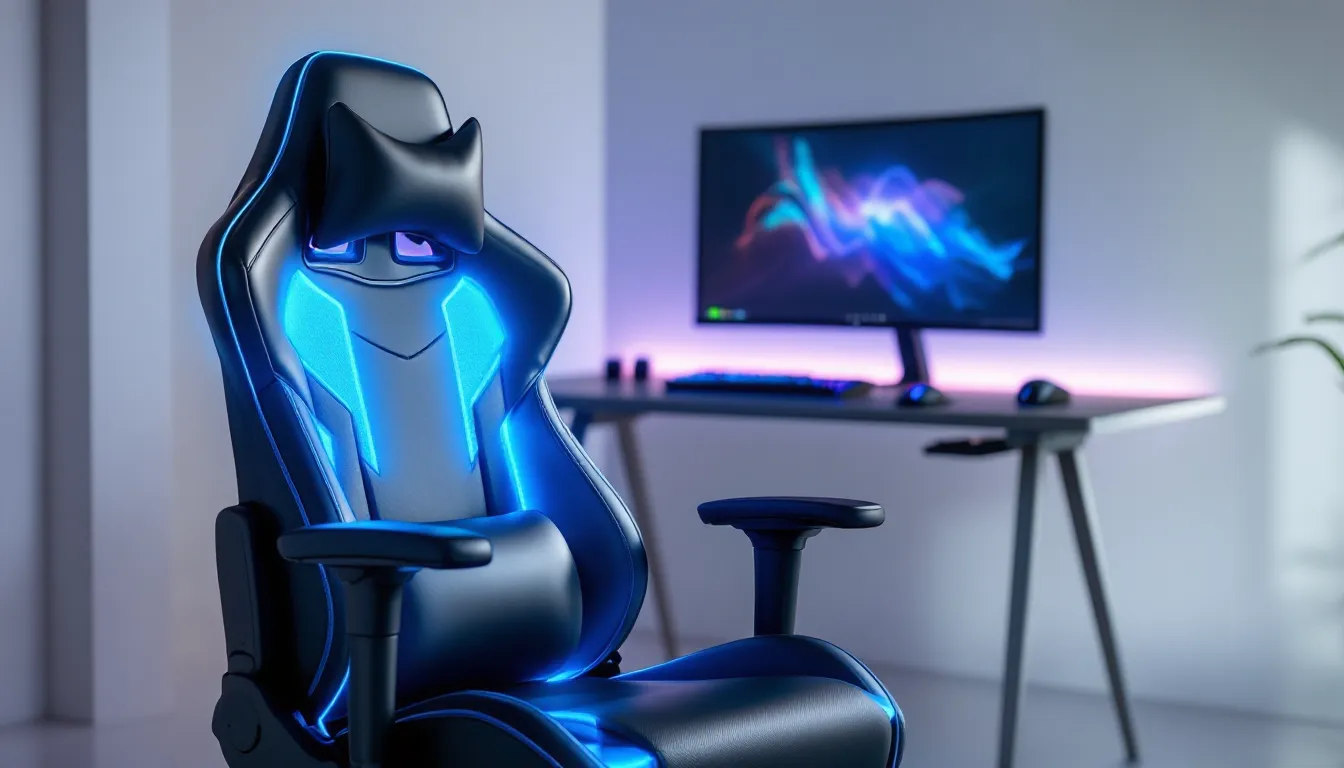
Gaming chairs have evolved far beyond basic ergonomics. Today’s premium setups integrate audio and lighting systems that transform how you experience games. A gaming chair with speakers and lights isn’t just about looking cool in your stream, it’s about creating a complete sensory environment that impacts gameplay, immersion, and setup aesthetics. Whether you’re hunting ranked in Valorant, grinding Elden Ring, or streaming on Twitch, the right wireless gaming chair with integrated audio can change everything. This guide covers what to look for, how to set up and optimize your system, and which models deliver real value across different budgets.
Key Takeaways
- A gaming chair with speakers and lights combines ergonomic seating with integrated audio and RGB lighting to enhance immersion, reduce setup clutter, and improve stream aesthetics without needing separate speakers or lighting systems.
- Premium gaming chairs deliver 10W+ per channel audio and multi-zone RGB customization, while mid-range models ($350–$600) offer balanced 5–8W audio quality and adequate ergonomics for most gamers, making them the best value investment.
- Proper setup and positioning matter: place speakers 6+ inches from walls, calibrate audio through OS settings, and program custom lighting profiles for different games to maximize immersion and responsiveness.
- Look for chairs with at least 5W RMS power per speaker, Bluetooth 5.0+ connectivity, adjustable lumbar support, and individual LED addressability to ensure audio clarity, reliable wireless connection, and customization capabilities.
- Regular maintenance—including monthly speaker cleaning, firmware updates, and avoiding extreme temperatures—extends your gaming chair’s lifespan from 2–3 years to 5+ years and prevents common lighting and connectivity issues.
What Are Gaming Chairs With Integrated Speakers And Lights?
A gaming chair with speakers and lights combines traditional gaming seating with built-in audio systems and RGB or ambient lighting. These chairs typically feature stereo or surround sound speaker systems embedded in the headrest, armrests, or backrest, paired with customizable LED lighting that syncs to your games, music, or stream.
These aren’t just novelty features. Built-in speakers eliminate the need for separate desktop speakers, creating a more compact setup. A Bluetooth gaming chair lets you connect wirelessly to PC, console, or mobile devices without cable clutter. The lighting systems range from basic single-color LEDs to full RGB arrays with millions of color options, often syncing with in-game events, your chair flashes red when you take damage, pulses with your music, or shifts colors based on game state.
Some models combine these features as a gaming chair with Bluetooth speakers, while others offer wireless gaming chair connectivity for lag-free audio transmission. The integration matters: a truly immersive setup needs speakers positioned to create soundstage, not just tinny audio from cheap drivers. Lighting should respond quickly and cover the chair visibly without creating dead spots or harsh glare.
Why Speakers And Lights Matter For Your Gaming Setup
Audio Immersion And Competitive Advantage
Gaming audio isn’t background noise. Directional audio, footsteps, reloads, voice comms, directly impacts competitive performance. In tactical shooters like CS2 or Valorant, hearing an enemy plant the bomb on your left side can win rounds. Integrated chair speakers position audio closer to your ears and create a more contained soundstage than distant desktop speakers.
That said, integrated chair speakers work best as a supplementary audio source or for casual gaming. Competitive players still rely on high-quality gaming headsets for positional audio precision. Where chair speakers shine: co-op games (Helldivers 2, Deep Rock Galactic), story-driven experiences (Baldur’s Gate 3, Final Fantasy XVI), and immersive RPGs where ambient sound enriches the world.
The wireless connection reduces setup friction. No audio cables snaking across your desk. A Bluetooth gaming chair syncs instantly to your PC or console, and if the connection drops (rare on modern hardware), you can quickly reconnect without leaving your seat during a loading screen.
Visual Aesthetics And Room Ambiance
Lighting does two things: it looks great on camera and it affects your psychological state. Studies show that changing ambient light temperature influences focus and alertness. Blue-tinted lighting during intense competitive sessions can improve reaction time: warmer tones during casual gaming promote relaxation.
For streamers, RGB lighting integrated into a gaming chair with lights creates visual continuity. Your chair, desk, peripherals, and lighting all sync together, building a cohesive aesthetic that viewers notice. Discord streams, Twitch clips, a well-lit setup stands out.
Beyond stream appeal, lighting reduces eye strain during long sessions. A lit room prevents your monitor from being the only light source, which causes fatigue. Your eyes aren’t constantly adjusting between the bright screen and pitch-black surroundings. Ambient lighting from your chair spreads across the desk and walls, creating softer transitions.
Key Features To Look For In A Gaming Chair With Speakers And Lights
Speaker Quality And Audio Performance
Not all chair speakers are created equal. Look for chairs with at least 5W RMS power per speaker channel. Anything below 3W per channel sounds thin and will disappoint you after the first week. Check the frequency response range, 20Hz to 20kHz is standard, but speakers rated 40Hz to 16kHz are common in budget models and will lack bass depth.
Driver size matters. Larger drivers (2+ inches) move more air and produce richer sound than tiny 0.5-inch drivers crammed into the headrest. The best gaming chairs use multiple speaker drivers positioned in different locations: stereo drivers in the armrests for directional separation, a subwoofer-adjacent driver in the lumbar support for low-frequency impact.
Battery life for wireless models should exceed 12 hours on a single charge. If you’re gaming for 6+ hours on weekends, you need a chair that won’t die mid-session. Check if the chair supports USB-C fast charging, it’ll top up between sessions faster than Micro-USB.
Lighting Systems And Customization Options
RGB lighting gives you millions of color choices, but not all RGB implementations are equal. Look for a chair with:
- Individual LED addressability: Lights in different zones (headrest, armrests, backrest) can display different colors and effects simultaneously, not just a uniform color wash.
- High refresh rate: Lighting should sync with in-game events at 60Hz or higher, not lag by half a second.
- Customization software: Desktop apps (Windows/Mac) or mobile apps that let you create custom lighting profiles, save them, and assign them to specific games.
- Brightness control: At least 10 brightness levels. Many streamers need dimmer lighting during nighttime streams, brighter during day content.
Some premium models sync lighting with game APIs. For example, RGB Lighting Integrated Chairs can pull data from your PC and react in real-time: health bar low = red, special ability charged = blue. This requires dedicated software integration, which only works on PC for most games.
Ergonomic Design And Comfort
Speakers and lights don’t matter if you’re in pain after two hours. Prioritize chairs with:
- Lumbar support adjustability: A dial or lever that lets you change lower back pressure. Everyone’s spine is different.
- Armrest adjustability: Height, width, and angle all matter. Your arms shouldn’t be stretched or cramped at your desk.
- Seat cushion density: 40-60 density foam is standard. Below 40, it bottoms out quickly: above 60, it feels hard during long sessions.
- Recline range: At least 120 degrees. You’ll want to lean back during cutscenes or loading screens without feeling pinned upright.
- Material: Breathable mesh or fabric over vinyl. Vinyl heats up during 8-hour streams: mesh keeps you cooler.
Connectivity And Compatibility
A Bluetooth gaming chair should support Bluetooth 5.0 or 5.1. Older Bluetooth 4.2 has a shorter range and more latency. You want reliable connectivity across PC, PlayStation, Xbox, Nintendo Switch, and mobile devices.
Check compatibility explicitly. Some chairs list “PC and mobile” but don’t confirm Xbox or PlayStation support. Call manufacturer support or read owner reviews on Reddit gaming communities, real users catch these compatibility gaps quickly.
Wired connection fallback matters. Even with Bluetooth, the chair should have a 3.5mm aux input or USB-C wired mode so you can connect to devices that don’t support Bluetooth or if the wireless connection fails during an important session. A gaming chair with Bluetooth speakers should never leave you without audio options.
Top Gaming Chair Designs: Audio And Lighting Styles
RGB Lighting Integrated Chairs
RGB Lighting Integrated Chairs dominate the current market. Models from brands like Secretlab, CORSAIR, and Razer feature addressable RGB strips along the backrest and armrests. These chairs let you sync lighting with streaming software (OBS, Streamlabs) or game libraries (Steam, Epic Games).
Top performers in this category:
- High-end: Full programmable RGB zones, API integration with games like Valorant and League of Legends, premium audio (10W+ per channel), prices $600–$1000+
- Mid-range: 2–3 RGB zones, basic software customization, decent audio (5–8W per channel), prices $350–$600
- Budget: Single RGB strip, limited color presets, basic audio (2–4W per channel), prices $150–$350
Streamers gravitate toward high-end models because multi-zone RGB creates a more cinematic look on camera. The lighting differentiates your setup in YouTube thumbnails and Discord screenshots.
Surround Sound Speaker Systems
Surround Sound Speaker Systems in gaming chairs aim to create a wider soundstage than simple stereo speakers. These chairs typically use:
- Multi-driver setups: Stereo drivers in armrests, center driver in headrest, bass driver in lumbar area
- Passive radiators: Enhance bass without adding extra drivers or power consumption
- Frequency-tuned chambers: Built-in resonance cavities that amplify specific frequency ranges
The best surround setups position speakers 12+ inches apart so you feel directional audio when turning your head. Budget surround implementations just cram more small drivers into the chair without proper acoustic design, resulting in muddier audio.
Gaming chair with Bluetooth speakers featuring surround design costs more, but delivers noticeably better immersion in story games where environmental audio (rain, wind, distant voices) enriches the experience.
Multi-Platform Compatible Models
Wireless gaming chairs that work across PC, PlayStation 5, Xbox Series X/S, Nintendo Switch, and mobile are increasingly rare because each platform has different Bluetooth implementation quirks. Look for chairs that explicitly state multi-platform Bluetooth certification.
The best approach: choose a model that works flawlessly with your primary gaming platform, then verify secondary platform compatibility through owner forums. A chair that’s perfect for PS5 but janky on PC isn’t worth the hassle if you game on both.
How To Set Up And Optimize Your Gaming Chair Audio And Lighting
Proper Speaker Positioning And Audio Calibration
Once your chair arrives, positioning matters. Place the chair so the built-in speakers aren’t directly against a wall, they need 6+ inches of space to breathe. Sound reflects off hard surfaces (drywall, glass) and creates echo or phase cancellation if speakers are flush against them.
Calibrate audio balance in your OS settings. On PC (Windows 11), go to Settings > Sound > Volume Mixer and adjust app-specific volume levels. Some games route audio to chair speakers while music plays from your monitor speakers, separate apps in the mixer prevent this confusion.
Test speaker positioning by playing a familiar game’s audio. Stand behind your chair and listen from different angles. The stereo image should shift smoothly as you move, not drop to mono or get quieter on one side. If audio feels flat, you may need to adjust speaker angle (if adjustable) or reposition the chair 6–12 inches from your desk.
Bluetooth audio often arrives at 48kHz resolution on consumer devices, which is sufficient for games but noticeable lower fidelity than 96kHz wired audio. For competitive gaming where every millisecond counts, confirm Bluetooth latency specs. Modern Bluetooth 5.1 with low-latency codecs (LDAC, aptX) delivers under 20ms latency, imperceptible to humans. Older implementations may hit 150–300ms, which causes audio-to-video sync issues.
Programming And Syncing Light Effects
Download the manufacturer’s control software before unboxing the chair. Some companies host it on their website: others require searching Amazon product pages for software links. Install on your PC or phone, then pair the chair via Bluetooth.
Once paired, explore preset profiles. Most chairs ship with 5–15 presets: static colors, breathing effects, reactive (lights pulse with audio), and chase patterns. Test these first to understand the chair’s full capability.
Custom profiles come next. Open the software and create a profile for each game type:
- Competitive shooters: Bright white or cool blue for alertness, minimal brightness variations (steady light won’t distract)
- Story/immersion: Dynamic colors that shift with ambiance or audio cues
- Streaming: Synchronized with your camera angle and desk setup for visual cohesion
Assign profiles to game launchers. Steam and Epic Games support launch configurations, when you start a game, the software detects it and automatically switches your chair’s lighting profile. This automation is a game-changer for streamers managing 10+ games.
Test sync accuracy with audio-reactive settings. Play a song with clear bass drops and watch the lights respond. Latency shouldn’t exceed 100ms or the effect feels disconnected from the music. ProSettings hosts optimized lighting configurations from esports players if you want to start with pro-tuned presets.
Maintenance Tips For Long-Term Performance
Speaker Care And Software Updates
Speaker longevity depends on how you treat them. Don’t crank volume to max constantly, it strains drivers and degrades audio quality over time. Aim for 70–80% volume for daily use, reserving max volume for specific moments. This extends speaker lifespan from 2–3 years to 5+ years.
Clean speaker grilles monthly with a soft brush or compressed air. Dust buildup reduces acoustic performance and causes rattling. Never use wet cleaning methods on speakers, moisture damages the drivers irreversibly.
Check for software updates quarterly. Manufacturers push firmware updates that improve audio stability, add new lighting effects, and patch Bluetooth connectivity issues. Outdated firmware is a common cause of random disconnections or lighting sync problems. Most control apps notify you of available updates: don’t ignore them.
Back up your custom profiles. If you create 10+ lighting configurations, export them or take screenshots. If your chair needs factory reset (troubleshooting), you’ll want to restore your profiles quickly.
LED Light Durability And Troubleshooting
LED lights are inherently durable, they last 50,000+ hours if powered correctly. The weak point is solder joints connecting LEDs to the circuit board. Repeated vibration from gaming impact (jumping up after a win), movement in your chair, or temperature fluctuations can eventually crack these connections.
If certain zones stop lighting, try these troubleshooting steps:
- Restart the control app and re-pair the chair via Bluetooth.
- Factory reset the chair (hold power button for 10 seconds) and reinstall the default profile.
- Update the firmware to the latest version.
- Check for physical damage around LED zones. Tiny cracks in the housing can cause shorts.
If one LED zone fails and doesn’t respond to any of the above, the circuit board likely has a dead component. Under warranty (typically 1–2 years), contact the manufacturer for replacement. Out of warranty, repair costs often exceed $100+, so consider insurance or extended warranty coverage when buying.
Prevent failures by avoiding extreme temperature swings. Don’t leave the chair in direct sunlight for hours or in a freezing garage. Temperature extremes degrade solder joints faster than normal usage.
Comparing Budget Vs. Premium Gaming Chairs With Speakers And Lights
Value For Money Considerations
Budget gaming chairs with speakers and lights ($150–$300) are legitimate entry points if your priorities are:
- Casual gaming: Single-player stories, couch co-op, no competitive rank grinding
- Aesthetics over performance: You want RGB for your setup’s look, not audio quality
- Testing the waters: You’re unsure if integrated audio/lighting is worth the investment
Mid-range chairs ($350–$600) hit the sweet spot for most gamers. They offer:
- Balanced audio: 5–8W per channel, clear mids, acceptable bass
- Solid ergonomics: Lumbar support, reclining, breathable material
- Decent RGB: 2–4 customizable zones, good software
- Decent warranty: 2–3 years, often replaceable audio/lighting modules
Premium chairs ($600+) justify cost through:
- Professional audio: 10W+ per channel, studio-quality drivers, full-range frequency response
- Multi-zone RGB: 5+ independently addressable zones, game API integration
- Premium ergonomics: OEM armrests, aerospace-grade materials, 5+ year warranty
- Brand reputation: Secretlab, CORSAIR, ASUS ROG, these companies have service networks and reliable support
The diminishing returns curve is steep above $1200. You’re paying for brand prestige and incremental audio/lighting refinements, not revolutionary upgrades.
Performance Differences Across Price Tiers
Audio quality scales roughly with price:
- Budget ($2–4W): Clear, tinny, fatiguing after 4+ hours. Passable for casual gaming, not ideal for immersive experiences.
- Mid-range ($5–8W): Rich mids, acceptable bass, no harshness. Enjoyable for most games except competitive shooters (you’ll still want a headset).
- Premium ($10W+): Full-range clarity, punchy bass, detailed treble. Competitive with mid-range desktop speakers. Consider pairing with a gaming headset for best results.
Ergo differences are sharper at budget end:
- Budget: Thin padding, rigid back, limited adjustment. Your back will hurt after 4 hours.
- Mid-range: Proper lumbar contours, decent padding, multiple adjustment points. 6–8 hour comfort is achievable with good posture.
- Premium: Orthopedic-grade design, memory foam, infinite adjustments. 10+ hour sessions feel natural (though your eyes need breaks).
Lighting is the most price-insensitive feature. Budget RGB looks as good on stream as premium RGB: the difference is customization depth and sync reliability. A $200 budget chair’s single RGB zone can still sync perfectly with OBS. A $800 premium chair’s 5-zone setup just offers more creative control.
TechRadar regularly reviews gaming chairs across price tiers with real performance testing. If you’re comparing specific models, their reviews are comprehensive.
Conclusion
Gaming chairs with speakers and lights are no longer niche novelties. They’re practical tools that improve immersion, reduce setup clutter, and enhance stream aesthetics. Whether you’re building your first gaming setup or upgrading from a basic chair, the market offers options at every price point.
Start by identifying your priorities: Is audio quality critical for immersion? Do you stream, and if so, does RGB matter for your brand? How long are your typical gaming sessions, do you need maximum ergonomics? Casual gamers might thrive with a $300 Bluetooth gaming chair. Streamers and esports enthusiasts justify mid-range or premium investment. Competitive players shouldn’t rely solely on chair speakers but can still benefit from strategic audio positioning.
Once you’ve chosen a model, take time setting it up properly. Speaker placement, audio calibration, and lighting customization aren’t fire-and-forget. Spend 30 minutes dialing in your setup, and you’ll notice the difference immediately. Regular maintenance, firmware updates, gentle cleaning, firmware backups, ensures your chair stays reliable for years.
The gaming chair market continues evolving. New models shipping in 2026 will likely feature better Bluetooth codecs, AI-responsive lighting, and improved ergonomic designs. Current models are solid investments, but stay aware that recommendations may shift as new releases arrive. PCWorld tracks emerging gaming hardware if you want to monitor upcoming releases.
The right gaming chair with speakers and lights transforms how you play, stream, and experience games. It’s not about having the most expensive setup, it’s about choosing features that match your playstyle and maintaining them properly. Start with a chair that fits your budget and needs, then fine-tune from there.