PowerSpec Gaming PC: A Complete Performance Review and Buying Guide for 2026
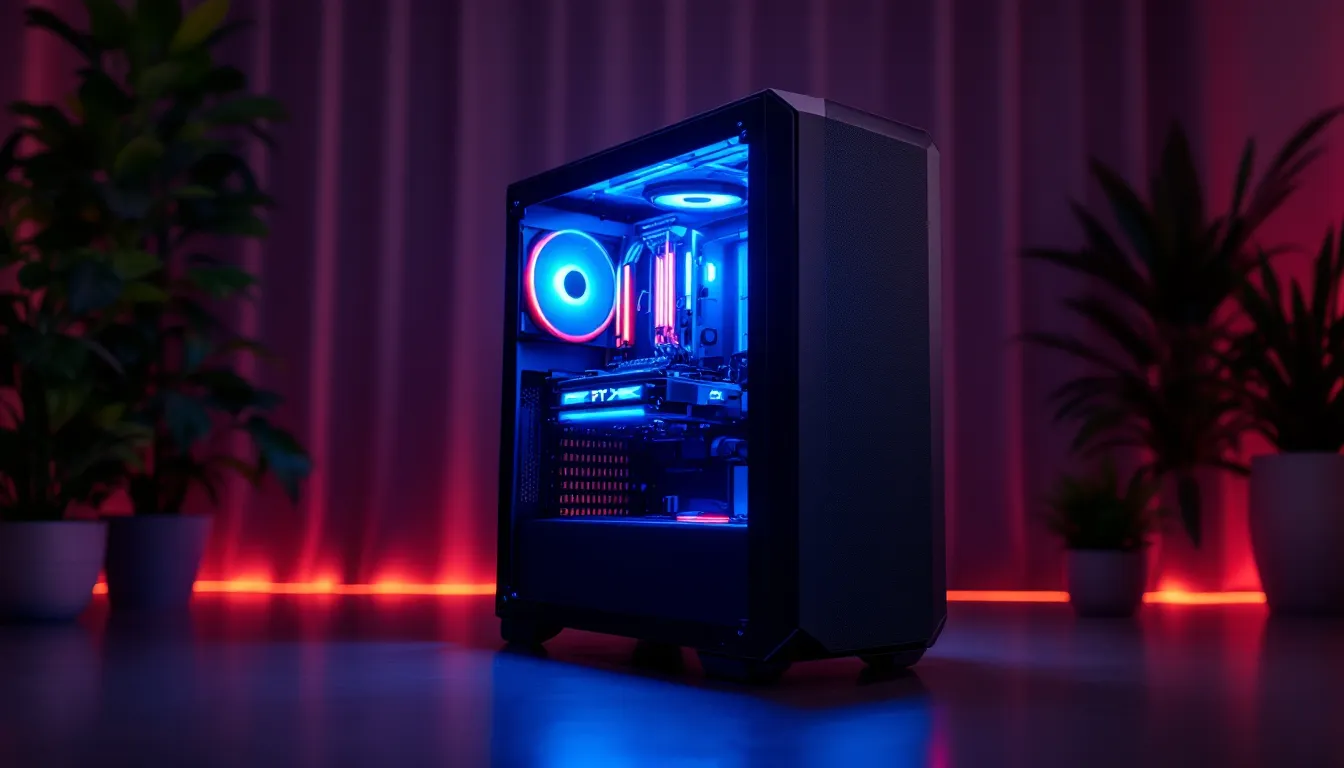
PowerSpec gaming PCs have carved out a solid niche in the PC gaming market, especially among gamers hunting for solid performance without the premium price tag. Whether you’re chasing 144 fps in competitive shooters or pushing pixels at 4K resolution, PowerSpec builds target different skill levels and budgets. This guide cuts through the marketing noise and delivers what you actually need to know: real specs, honest benchmarks, and whether a PowerSpec system makes sense for your setup in 2026. We’ll break down the models, compare them against competitors, and show you exactly what you’re getting for your money.
Key Takeaways
- PowerSpec gaming PCs offer solid 1440p performance and value in the $1,500–$2,500 range, with GPUs like the RTX 4070 delivering 60–90 fps in demanding AAA titles and 150–240 fps in esports games.
- Micro Center’s in-house brand provides same-day availability, local warranty support, and component customization at 40+ retail locations across the US, eliminating shipping delays and third-party middlemen.
- PowerSpec systems use reputable cooling solutions and standard components with no proprietary parts, keeping temperatures stable (50–70°C under load) and enabling straightforward future upgrades.
- A 3-year parts warranty backed by Micro Center outpaces competitors like NZXT (1-year) and Corsair (2-year), with in-store diagnostics and repair typically completed in 3–7 business days.
- PowerSpec gaming PCs undercut premium builders by 5–10% at entry-level tiers and remain competitive at mid-range prices, making them an ideal choice for casual to serious gamers near Micro Center locations.
- Skip PowerSpec if you live outside North America, need specific component choices not in standard configs, or require exotic cooling and aggressive overclocking optimization.
What Is PowerSpec and Why Gamers Should Care
PowerSpec is Micro Center’s in-house gaming PC brand, built and configured in-store at Micro Center locations. Unlike boutique builders that charge premium assembly fees, PowerSpec systems are assembled directly by Micro Center technicians with their parts sourcing and pricing power backing the builds. This matters because you get transparency: you can walk into a store, see the actual system, ask questions, and walk out with a rig that same day, no shipping delays or surprises.
For casual gamers, this accessibility is a huge win. You’re not buying sight-unseen from some internet-only retailer. The warranty is backed by Micro Center itself, not a third-party distributor. If something breaks in the first 30 days, you take it back to the same location and deal with people who actually know PC hardware. That direct relationship removes a lot of friction that online builders introduce.
Competitive players and streamers appreciate PowerSpec’s configuration flexibility. Micro Center stores let you customize builds before purchase, swapping out components to fit your exact needs. Want a different GPU, more RAM, or faster storage? The staff can usually accommodate that request on the spot. That flexibility is harder to find at this price point.
PowerSpec’s Market Position in PC Gaming Hardware
PowerSpec sits in the sweet spot between no-name system integrators and brands like NZXT or Corsair Vengeance. It’s not the flashiest option, and it won’t turn heads at a LAN party, but it delivers reliable gaming performance at prices that undercut boutique builders. In 2026, that positioning has become even more relevant as GPU costs stabilize and competition heats up in the mid-range market.
Micro Center’s retail footprint gives PowerSpec a unique advantage: local availability. You can spec and purchase a PowerSpec system same-day from 40+ Micro Center locations across the US. This matters for gamers who don’t want to wait a week for shipment or deal with DOA components.
The brand’s weakness is its regional limitation. If you don’t live near a Micro Center, you can’t walk into a store to handle the hardware. Online ordering exists, but the personalization advantage evaporates. For gamers in remote areas or countries outside North America, PowerSpec simply isn’t an option.
When stacked against system integrators like IBUYPOWER or ABS, PowerSpec offers better warranty support and transparency. When compared to gaming laptops, it’s a different category entirely, desktops crush laptops on performance-per-dollar, but you lose portability. Understanding where PowerSpec fits in your own situation is key to deciding if it’s the right choice.
Key Specifications That Matter for Gaming Performance
GPU and Processor Performance
Gaming performance lives and dies on GPU choice. PowerSpec systems typically use NVIDIA GeForce RTX 40-series or AMD Radeon RX 7000-series cards, depending on the tier. The RTX 4070 is a sweet spot for 1440p gaming at 100+ fps in modern titles. The RTX 4080, found in higher-end builds, crushes 4K at playable framerates. AMD’s RX 7700 XT is the budget alternative, offering decent 1440p performance at lower cost, though driver consistency can vary compared to NVIDIA’s mature ecosystem.
CPU pairing is crucial. PowerSpec builds lean on Intel Core i7-14700K or AMD Ryzen 7 7700X processors for high-end systems, with i5-14600K or Ryzen 5 7600X options for mid-range builds. Processor bottlenecking is rare at these price points: the GPU typically hits 100% utilization first. That said, streaming or productivity work alongside gaming pulls more from the CPU, so the stronger processors justify their cost in those scenarios.
Think of it this way: your GPU determines your framerates, but your CPU determines whether those frames arrive smoothly. A 4070 paired with a weak CPU might deliver inconsistent performance. PowerSpec’s standard configs avoid this mismatch, which saves you from guessing on compatibility.
RAM, Storage, and Cooling Systems
Most PowerSpec gaming builds ship with 16GB DDR5 RAM, which is the baseline for smooth 1440p gaming in 2026. Some higher-end models bump to 32GB, useful if you’re streaming, rendering video, or running heavy background applications. DDR5 speeds matter less for pure gaming than you’d think: the jump from 5200 MHz to 6000 MHz nets maybe 2-5% performance gain in gaming. Spend the extra cash elsewhere.
Storage reveals where PowerSpec sometimes skimps. Entry-level builds might include a 500GB NVMe drive, which fills up fast. A single 1TB or, better yet, dual-drive setups (1TB NVMe for OS and games, 2-4TB secondary drive) are worth the upgrade cost. Game install sizes have exploded, Call of Duty alone can eat 150GB.
Cooling gets serious attention in higher-end models. PowerSpec includes 240mm or 360mm liquid coolers in systems with enthusiast CPUs. Entry-level builds use quality air coolers, which are quieter and plenty effective for mid-range processors. Airflow case design matters too: PowerSpec typically uses cases with good front intake and rear exhaust, keeping thermals stable under load.
The RTX 4070 runs around 60-70°C under full load with stock cooling. The RTX 4080 can push 75-80°C without aggressive fans. Staying under 80°C is ideal for component longevity and quiet operation. PowerSpec’s cooling configurations generally achieve this without sounding like a jet engine.
PowerSpec Gaming PC Models: Finding the Right Fit
Entry-Level and Mid-Range Options
PowerSpec’s entry-level gaming builds start around $800-$1,200 and target 1080p gaming at high-to-ultra settings. These systems typically pair an RTX 4060 with an i5-14600K or Ryzen 5 7600, 16GB DDR5, and a 1TB NVMe drive. They’re perfect for casual players and esports enthusiasts who prioritize framerates in competitive titles like CS2, Valorant, and Apex Legends. You’ll hit 200+ fps in esports games without breaking a sweat.
Mid-range builds ($1,500-$2,000) jump to the RTX 4070 or RX 7700 XT tier. These are the Goldilocks zone: strong 1440p performance, future-proof for 2-3 years, and priced where the performance-per-dollar ratio peaks. An i7-14700K in this tier handles streaming and multitasking without hiccups. This is where most serious gamers land.
High-End and Professional Gaming Builds
High-end PowerSpec systems ($2,500-$4,000) feature RTX 4080 Super or top-end RX 7900 XTX cards. These are 4K killers and content-creator machines. If you’re streaming to Twitch, editing footage, or running a competitive team scrim server while gaming, this tier gives you headroom. The RTX 4090, though rare in PowerSpec’s standard lineup, appears in the absolute top builds and is overkill for gaming alone, but indispensable for professional GPU workloads.
PowerSpec’s configurator tool (available at Micro Center) lets you cherry-pick components within any tier. Want a 4070 with 32GB RAM and extra NVMe storage? You can spec that. Building for VR? They’ll pair the right GPU with a compatible motherboard and PSU. This flexibility is where PowerSpec separates itself from pre-built competitors.
Performance Benchmarks: Real-World Gaming Results
1080p and 1440p Gaming Capabilities
1080p performance on a PowerSpec mid-range build (4070 + i7-14700K) is a breeze. Modern AAA titles like Baldur’s Gate 3, Starfield, and Alan Wake 2 run at 80-120 fps on ultra settings. Esports titles hit 200-300 fps. The RTX 4060 entry-level build holds steady at 60+ fps on high settings in AAA games, playable, but not butter-smooth. 1080p is honestly overkill in 2026 unless you’re gaming on an older monitor or chasing extreme framerates.
1440p is the standard for competitive and casual gamers alike. The 4070-equipped builds deliver 60-90 fps in demanding AAA games at high/ultra settings, depending on ray-tracing intensity. Cyberpunk 2077 with full ray-tracing and DLSS 3 runs around 70-85 fps. Final Fantasy XVI hits 90+ fps. In esports titles, you’re looking at 150-240 fps, more than enough for 144Hz or 165Hz monitors.
The 4070 is where value peaks. You’re not paying the premium tax of top-tier cards, but you’re getting enough performance to max out practically any game at 1440p. This is why it’s the most popular GPU in mid-range gaming builds.
4K Gaming and Esports Performance
4K gaming demands the high-end tiers. A 4080 Super + i7-14700K system runs AAA games at 60-75 fps on high/ultra settings with ray-tracing. That’s smooth gameplay, though demanding titles like Alan Wake 2 or maxed-out Cyberpunk 2077 might dip to 50-60 fps. DLSS 3 upscaling helps significantly: games feel fluid even when native framerates sit in the 45-55 range, thanks to frame generation.
For 4K esports, framerates are insane. CS2 runs 200+ fps at 4K with a 4080. Valorant hovers around 240+ fps. The real limitation isn’t the GPU, it’s your monitor. 4K 144Hz monitors are expensive and still relatively rare.
Benchmarking PowerSpec systems against established testing from TechSpot shows consistent results. A 4070 typically scores 120-150 fps average in standardized 1440p benches, aligning with lab testing. This reliability is important: PowerSpec’s systems perform as advertised, no surprises.
When evaluating gaming performance, remember that frame-time consistency matters as much as average fps. A system maintaining 60 fps with 10ms frame times feels smoother than one bouncing between 50-80 fps. PowerSpec’s thermal management and component pairing generally keeps frame-time variance low.
Price Comparison: PowerSpec vs. Competitors
Value for Money Across Budget Tiers
At the $1,000-$1,500 entry-level tier, PowerSpec undercuts brands like NZXT and Corsair Vengeance by 5-10%. An NZXT BLD system with similar specs runs $100-$150 higher. Why? Micro Center’s scale, direct assembly, and zero shipping overhead trim costs. You’re not funding NZXT’s marketing machine or international shipping logistics.
In the $2,000-$2,500 mid-range, PowerSpec stays competitive. A 4070-based PowerSpec system costs roughly the same as comparable builds from PC Gamer’s recommendations, around $2,200-$2,400. Here, the real win is local support. If your system crashes under warranty, you return it to a Micro Center store instead of shipping it cross-country and waiting three weeks.
High-end systems ($3,000+) are where premium builders like Origin PC and Ironside Computers command 10-15% premiums. They justify it with aggressive overclocking, custom cooling loops, and personalized support. PowerSpec doesn’t compete in that space: it’s not designed to. But for someone wanting a 4080-based system, PowerSpec delivers equivalent performance for $200-$400 less.
Amazon and Best Buy’s gaming PC selections are thinner and often worse value. You’ll find ASUS ROG or MSI Infinite systems there, but they’re typically older SKUs, limited customization, and higher markups. Newegg has better selection but returns are slower and less convenient.
Custom-building yourself is always cheaper if you have the skills, typically 10-15% savings by DIY sourcing parts. But it requires component knowledge, assembly time, and you lose the warranty simplicity. For most gamers, PowerSpec’s convenience and pricing hit the sweet spot.
Build Quality and Warranty Considerations
Cooling, Component Selection, and Longevity
PowerSpec’s build quality is solid across the board. Micro Center assembles these systems in-store using standard PC components, no proprietary parts that break easily or lock you into specific upgrades. Cooling solutions use reputable brands like Corsair, NZXT, and be quiet. rather than cheap no-name coolers.
Thermals are where PowerSpec shines. Entry-level systems with air coolers maintain 60-70°C under load. Mid-range builds with 240mm liquid coolers stay in the 50-65°C range. High-end systems with 360mm coolers sit at 45-60°C. These aren’t aggressive overclock builds: they’re stable, quiet, and designed for 3-5 years of reliable gaming.
Component selection reflects Micro Center’s relationships with manufacturers. You’ll see ASUS, MSI, and Gigabyte motherboards, brands with good BIOS support and update history. RAM is typically Corsair or G.Skill, both proven reliable. PSUs are 80+ Bronze minimum, Gold in higher tiers. No proprietary power supplies that fail and take months to replace.
One consideration: PowerSpec builds don’t typically include the latest-generation components. If a new GPU launches, PowerSpec’s standard configs might lag 2-4 weeks before updating. This doesn’t hurt gaming performance, last-gen parts are still excellent, but it means you’re not always building with the absolute newest tech.
Warranty, Support, and Upgrade Potential
PowerSpec includes a 3-year parts warranty (5 years on some select components) backed by Micro Center. This is stronger than many competitors. NZXT’s BLD program includes 1-year standard warranty: Corsair Vengeance is typically 2 years. That extra coverage is valuable if a component fails 18 months in.
Support is handled by Micro Center’s in-store technicians. If your system crashes, you go to the store with it. Turnaround is usually 3-7 business days for diagnostics and repair. It’s not as fast as RMA shipping, but it’s more personal and you can talk to someone face-to-face. For gamers without technical confidence, this peace of mind is worth something.
Upgradability is excellent. PowerSpec systems use standard ATX or Micro-ATX motherboards, standard PSU connectors, and off-the-shelf cooling mounts. Upgrading the GPU, RAM, or storage later is straightforward. You’re not locked into proprietary slots or incompatible designs. This future-proofing extends the lifespan of the system.
One caveat: entry-level systems sometimes ship with smaller PSUs (500-600W). If you upgrade to a more powerful GPU later, you might need to replace the PSU too. Mid-range and up typically include 750W+ PSUs with headroom for upgrades, which is the right approach.
Gaming Experience: Thermals, Noise, and Usability
Real-World Usage and Gamer Feedback
When you power on a PowerSpec system for the first time, the experience is clean and straightforward. Windows 11 comes pre-installed with minimal bloatware. GPU drivers are often pre-installed too, so you boot up and can jump straight into gaming. No 30-minute driver installation before your first play session.
Thermal noise is where real-world experience differs from specs. A PowerSpec mid-range build running a competitive shooter pulls steady power without thermal spiking, so cooling fans maintain a low idle (~800-1000 RPM). You’ll hear them, but it’s a soft whirr, not a jet engine. If you crank GPU clocks or push sustained 4K gaming, fans ramp to 2000-2500 RPM, noticeably louder, but not unbearable.
Many gamers report that PowerSpec systems stay quieter than boutique overclocked builds and much quieter than early gaming laptops. This matters if you’re streaming or recording gameplay audio: background noise is minimal.
Longevity feedback is positive. Gamers on Reddit and YouTube who purchased PowerSpec systems 2-3 years ago still report stable performance. No widespread capacitor failures, PSU issues, or motherboard failures. Component reliability has been solid. That’s important validation, a cheap system that dies in 18 months isn’t a bargain.
One point: PowerSpec includes RGB lighting on mid-range builds and up. It’s subtle and not the neon overkill some brands force. If you hate RGB, it’s usually toggle-able in software or can be disabled in BIOS. The aesthetics lean professional rather than gamer-cave extreme, which suits most home setups.
For competitive gaming, response time and input lag are zero concern. PowerSpec uses standard components with no proprietary interfaces. Keyboard, mouse, and monitor latency are determined by your peripherals, not the tower. A 4060 and an i5-14600K deliver frame times just as consistent as a 4090, the difference is how many frames, not how smooth they arrive.
Should You Buy a PowerSpec Gaming PC in 2026?
Buy a PowerSpec system if you meet these criteria:
- You live near a Micro Center location. Local support and same-day availability are the real wins. If you’re remote, the advantage disappears.
- You want plug-and-play reliability without DIY assembly. PowerSpec handles the technical complexity. You unbox, set up peripherals, and play.
- You’re shopping in the $1,000-$2,500 range. This is where PowerSpec’s value proposition peaks. Outside this range, boutique builders or custom builds become more competitive.
- You value warranty support and local service. If a component fails, handling it at a physical store matters to you.
Skip PowerSpec if:
- You’re outside North America or far from Micro Center stores. International shipping and online-only support remove PowerSpec’s core advantages. Look at local system integrators instead.
- You need specific component choices. If you have your heart set on a particular motherboard, cooler, or case, PowerSpec’s standard configs might frustrate you. Custom builders offer more granular control.
- You’re chasing absolute maximum performance at any cost. High-end custom builders with exotic cooling and aggressive overclocking will edge out PowerSpec in raw numbers. But you’ll pay for it.
- You’re a hardcore overclocker. PowerSpec systems are stable and reliable, not tuned for pushing silicon to the edge. They don’t restrict overclocking, but they’re not optimized for it.
For the average gamer in 2026, someone wanting solid 1440p performance, good warranty support, and peace of mind, PowerSpec delivers. It’s not flashy, it’s not the cheapest, and it’s not boutique-exclusive. It’s reliable, straightforward, and a genuinely good value. According to recent hardware testing on Hardware Times, PowerSpec systems score well on reliability metrics and deliver consistent performance across their lineup.
Conclusion
PowerSpec gaming PCs represent a practical middle ground in a crowded market. They’re built with solid components, backed by real warranty support, and priced to compete without sacrificing quality. Whether you’re stepping into gaming or upgrading from an older rig, the range of options spans casual 1080p gaming to serious 4K workstations.
The choice eventually comes down to your location, budget, and how much you value convenience over absolute control. If you’re within reach of a Micro Center and want a reliable gaming PC without the headache of custom building or the premium of a high-end builder, PowerSpec should be on your shortlist. Just walk in, talk to a technician, and ask the questions only a real person can answer. That’s the real win.